PSD Exporter
layout.json + Textures
How the JSX exporter prepares Photoshop layer data for the Unreal importer.
What the JSX exporter writes
The Photoshop exporter scans the visible layer tree, exports texture PNGs, and writes a single JSON file that describes widgets, layout, styling, text data, and interaction metadata.
| Output | Description |
|---|---|
layout.json |
Main file read by the Unreal importer. Contains document size, root groups, widget layers, text data, slots, styles, actions, and warnings. |
Textures/ |
PNG files used by Image, Button state brushes, Slider parts, CheckBox parts, panels, backgrounds, and icons. |
| Warnings | Skipped layers, unsupported structures, empty bounds, missing state art, and other issues are written into the JSON warnings array and shown after export. |
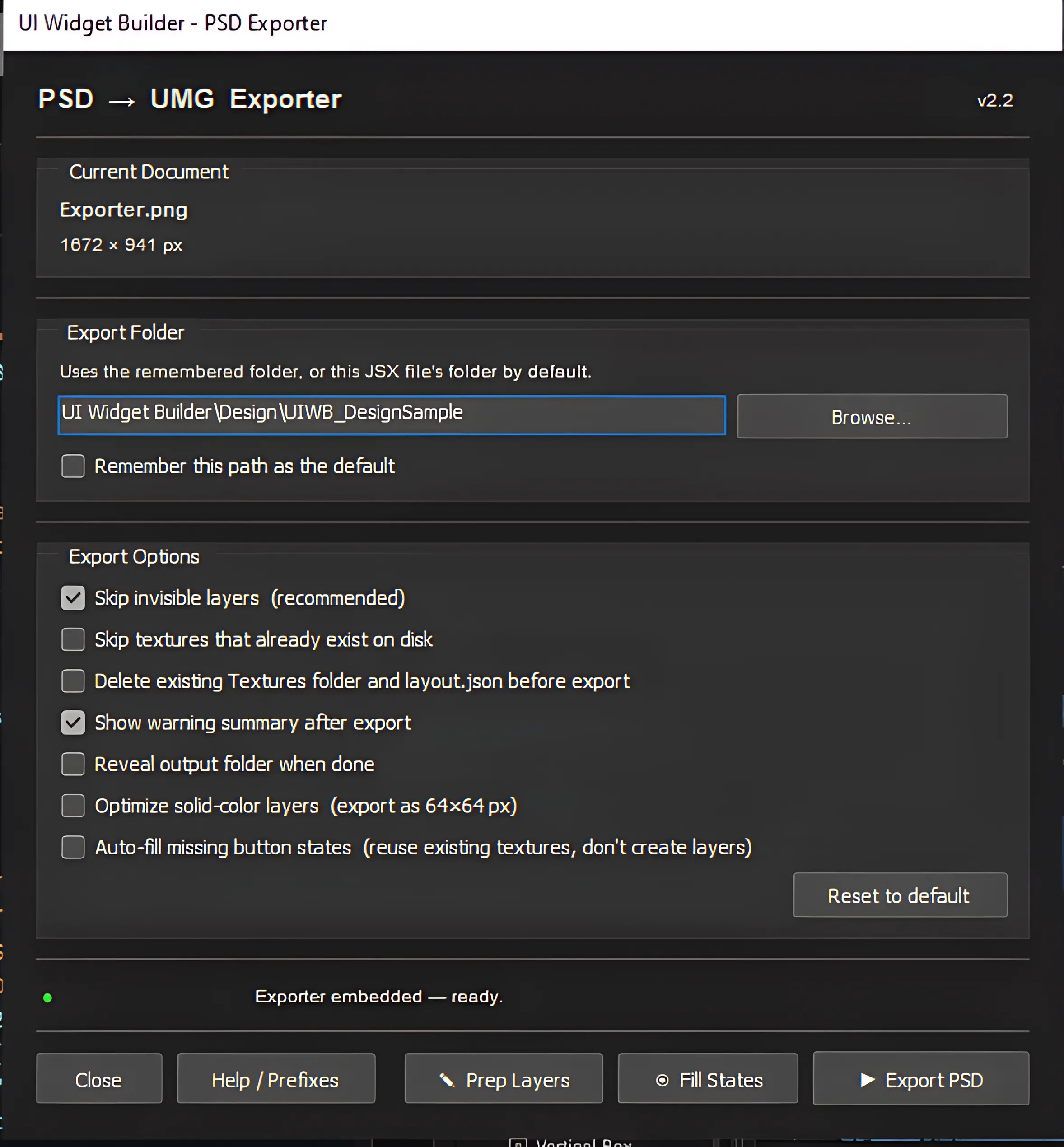
Toolbar utilities
Prep Layers
Finds visible text/image layers without recognized prefixes and lets users apply suggested names.
Fill States
Scans BTN_ groups and duplicates existing state art to create missing Normal, Hover, and Pressed layers.
Export PSD
Writes the final layout.json and Textures/. A progress window can cancel after the current texture operation.
Exporter option reference
| Option | Effect |
|---|---|
| Skip invisible layers | Hidden layers and groups are excluded. Use visibility to keep work-in-progress layers out of the export. |
| Skip textures that already exist | Speeds layout iteration by not re-rendering already exported PNGs. Use carefully when art changes. |
| Delete existing Textures folder and layout.json | Clean Photoshop-side export. Deletes old exported files before writing new ones. |
| Show warning summary | Shows warning count and first warning after export; full warnings remain in JSON. |
| Reveal output folder | Opens the folder after export completes. |
| Optimize solid-color layers | Exports safe flat single-color art as 64×64 stretched textures to reduce file size. Rounded-corner art, vector/user masks, and layer effects are protected and stay full-size. |
| Auto-fill missing button states | Reuses available button-state texture data in JSON when Normal/Hover/Pressed is missing. |
The 64×64 optimization is only for rectangular flat-color layers. The exporter skips this optimization for rounded corners, transparent/masked edges, vector or user masks, and layer effects such as stroke, shadow, or glow. Dark/black rounded panels are also checked with a light probe so transparent corners are not mistaken for solid black.
Deleting the existing Textures folder and layout.json cannot be undone from the exporter. Use it only when you want a clean export.
Shared textures and ID markers
Some repeated art can be shared intentionally. This reduces duplicated PNGs, but incorrect sharing names can make unrelated UI parts reuse the wrong texture.
| Pattern | Meaning |
|---|---|
IMG_Icon_IDN_A |
Explicit shared texture key A. |
IMG_Hover_A |
Button-state suffix sharing. |
BG_Window_B |
One-letter generic sharing key for supported image-part prefixes. |
Shared texture keys are global for the export. Do not reuse the same key for unrelated art.